What is Eye Fatigue?
Monitors
In today's digital age, there has been increasing concern about the impact of computer devices on our eyes. We may spend excessive time staring at screens, including smartphones, tablets, computer displays, or TV. Whether for work, school, or leisure, our eyes are constantly exposed to blue light emissions from 3C devices. As a result, many people experience eye fatigue symptoms or Computer Vision Syndrome (CVS). CVS is a type of eye strain that occurs due to the prolonged use of digital devices. CVS is a common condition that affects millions of people worldwide. This article will explore the causes, symptoms, and possible ways to prevent eye fatigue and CVS.
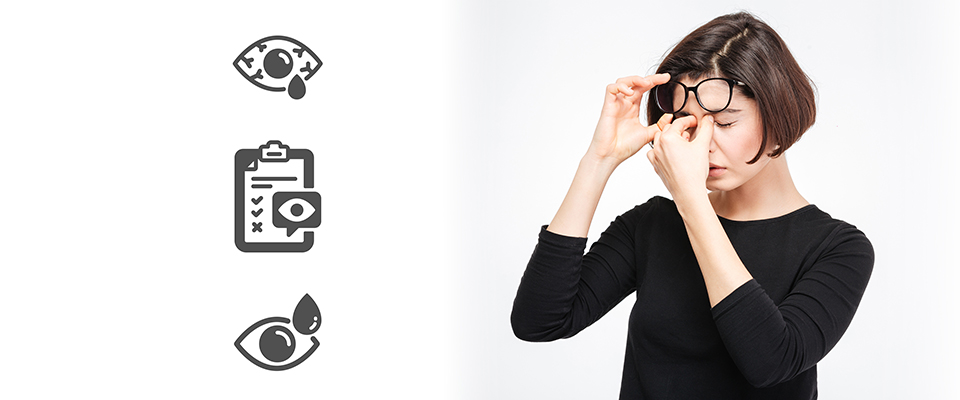
Eye fatigue, also known as asthenopia, is a condition characterized by discomfort or eye pain. This discomfort can be caused by various factors, such as prolonged use of 3C devices, reading, writing, driving, or other activities that require focused visual attention. However.
Symptoms of eye fatigue and CVS :
Some of the most common symptoms of eye fatigue include:
- Dry, itchy, or burning eyes
- Eye strain
- Blurred vision or sensitivity to light
- Double vision
- Headaches, neck and shoulder pain
- Difficulty focusing
Causes of eye fatigue and CVS:
Several factors contribute to eye fatigue and CVS, including:
- Blue light: Electronic devices emit a blue light which can cause eye strain, damage to the retina, headaches, and other health problems.
- Screen glare: It can cause discomfort and eye strain to look at glare computer displays.
- Improper lighting: Poor or too strong lighting can cause eye strain and make reading or focusing on a task difficult.
- Incorrect posture: Sitting too close or too low to a screen or holding a device too close to the eyes can cause eye fatigue and discomfort.
- Dry eyes: Excessive screen time can irritate and dry out your eyes.
Prevention and possible ways to prevent eye fatigue and CVS:
It's a good thing that there are several things you can do to prevent eye fatigue and CVS. Here are a few of them:
1. Take frequent breaks: Take regular breaks from your screen to rest your eyes. The American Optometric Association recommends the 20-20-20 rule: every 20 minutes, look at something 20 feet away for 20 seconds.

2. Adjust the screen settings: Adjust the computer displays' brightness, contrast, and font size to reduce eye strain.
3. Reduce screen glare: there are several options, including choosing an anti-glare display, using an anti-glare screen protector, or adjusting the angle of your screen to reduce glare.
4. Improve lighting: Avoid working with too strong or too low lighting environments. Use proper lighting when reading, writing, or working on a screen. For example, avoid reading or working in a dark room or direct sunlight.
5. Correct posture: Sit at a comfortable distance from your screen, for example, the length of your hand, and adjust the height of your chair and screen to reduce neck and shoulder pain.
6. Blink frequently: Blinking helps to moisten the eyes and prevent dryness.
7. Use eye drops: If needed, over-the-counter eye drops can help to relieve dryness and irritation, but still recommended to talk with doctors.
Conclusion:
Eye fatigue and CVS are common conditions caused by prolonged screen time and other factors. It is fortunate that there are many ways to prevent eye fatigue and CVS, such as taking frequent breaks, adjusting screen settings, reducing screen glare, improving lighting, maintaining correct posture, frequent blinking, and using eye drops if needed. As a result, you can reduce the risk of eye fatigue and CVS and protect your eyes from damage.