What are DP2.1 and DP2.1a? The difference you ought to know
Monitors
In 2022, VESA (Video Electronics Standards Association) launched the new standard of DisplayPort – DP2.1. What’s DP2.1 and what is the difference between DP1.4? Let us introduce below.
What is DisplayPort 2.1 (DP2.1)
When you check the back of a monitor, you’ll typically notice DisplayPort and HDMI ports. Both of them are digital audio/video connection standards designed to link computers and compatible devices, ensuring high-quality signal transmission. However, as user demands for higher resolutions and refresh rates increase, the older versions of these standards can struggle to meet these needs. For example, older DisplayPort versions, while reliable, may not support cutting-edge resolutions or ultra-high refresh rates required for modern gaming and professional workloads. The bandwidth is not enough for 4K, 8K, and dual 4K Setups at High Refresh Rate.
DP2.1 offers more bandwidth to fulfill the higher needs. According to the difference in bandwidth, DP2.1 has several types. UHBR20 has the highest bandwidth, supporting 80Gbps, 2.5 times that of DisplayPort 1.4a (HBR3). This means you can use 4K@240Hz, 1440P@500Hz, dual 4K@120Hz, and four 4K@60Hz without DSC.
Ultra-High Bit Rate
Total Gbps
UHBR20
80
UHBR13.5
54
UHBR10
40
However, DP2.1 has a shortcoming “The Length of Cable”. To achieve faster transmission speeds, the trade-off is sacrificing cable length. The cable only has 1 meter. If the cable is longer, it may have some issues like latency or loss of performance. So this drawback limits the usability of DP2.1. A cable length of only 1 meter is quite challenging for practical use, especially since PC users often place their monitors away from their computers.
DisplayPort 2.1a (DP2.1a)
DP2.1a is the newest standard which VESA launched at CES 2024. DP2.1a improves the bandwidth and extends the cable length. DP2.1a fixes the shortcoming of DP2.1. For DP54, it supports 2-meter-long cable without losing the performance. Generally, 2 meters is very enough for use.
How to Pick the Cable For DP2.1a
If you want to utilize the bandwidth of DP2.1a fully, ensure that both the monitor and graphics card feature DP2.1a and that the cable used is DP80 which is certified by VESA. Combine all these factors to achieve the 80Gbps speed.
You may be unfamiliar with DP80, which is a specification for DP2.1a cables. There are three main specifications within DP2.1a: DP40, DP54, and DP80. The number following "DP" indicates the bandwidth capacity that the cable supports. For example, DP80 cables offer 80 Gbps of total bandwidth, calculated as 20 Gbps per lane across 4 lanes (20 Gbps x 4 lanes = 80 Gbps). This high bandwidth allows for seamless support of advanced resolutions, refresh rates, and multitasking setups.
Cables
Total Bandwidth
DP40 (UHBR10)
40Gbps
DP54 (UHBR13.5)
54Gbps
DP80 (UHBR20)
80Gbps
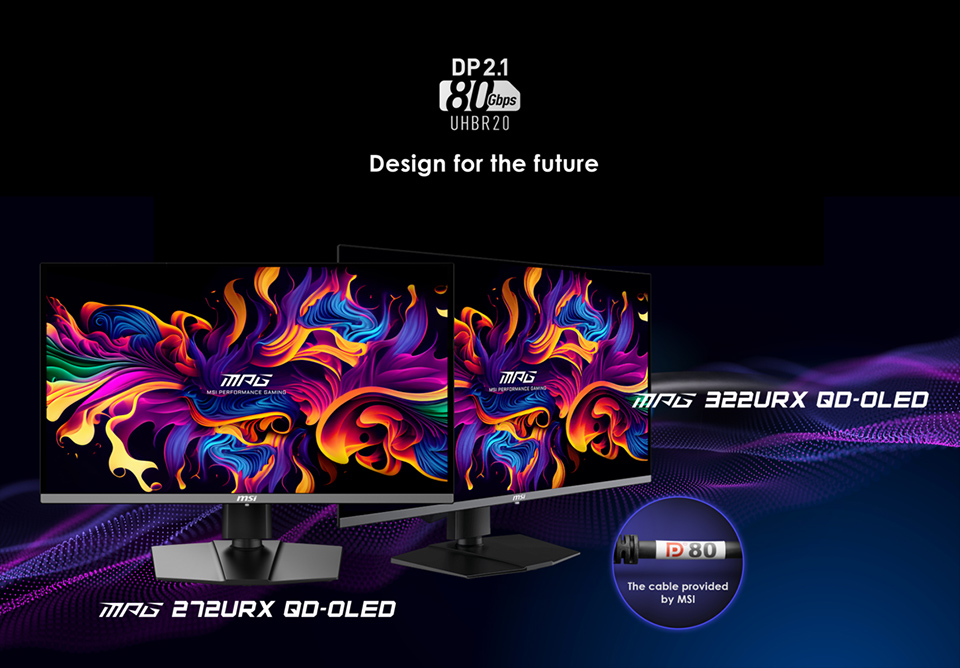
MSI DP2.1a Gaming Monitors - MPG 272URX QD-OLED and MPG 322URX QD-OLED
MPG 272URX QD-OLED and MPG 322URX QD-OLED are 27 inches and 32 inches respectively. They are equipped with 4K resolution and 240Hz Refresh Rate. Both monitors feature stunning 4K resolution paired with an impressive 240Hz refresh rate. Equipped with DP2.1a connectivity, they eliminate the need for DSC (Display Stream Compression) and can seamlessly deliver a true 4K@240Hz experience. Leveraging QD-OLED technology, these monitors achieve an ultra-fast 0.03ms response time.
By combining QD-OLED technology with the latest DP2.1a standard, MSI ensures these monitors are not only ready for current demands but also prepared to meet the future needs of gaming and professional users alike.