Top 8 AI PC Life Hacks to Make Your Life Much Better!
Laptops
Artificial Intelligence (AI) is revolutionizing the way we interact with our PCs, making everyday tasks easier and more efficient. Here are the top 8 AI life hacks that can significantly enhance your PC experience:
1. Built-in Copilot
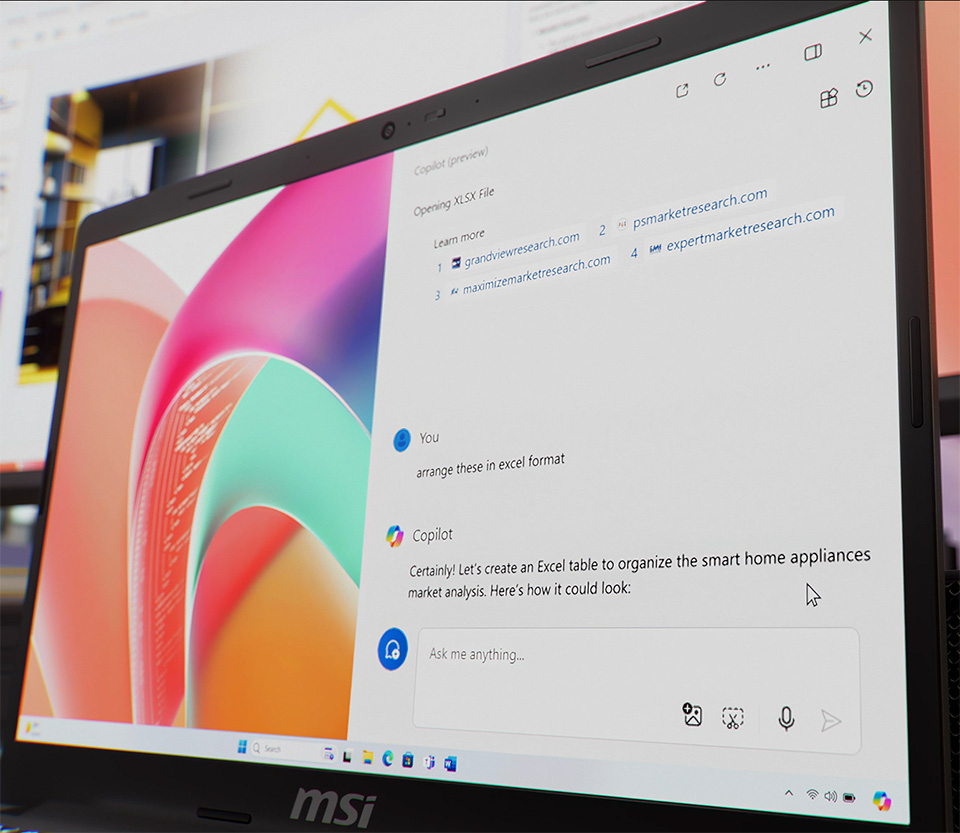
The built-in Copilot leverages ChatGPT to answer your questions and organize data for you. Whether you need quick information or help with data management, Copilot has got you covered! It can assist with everything from scheduling your day to providing detailed explanations on complex topics, making it an invaluable tool for both personal and professional use.
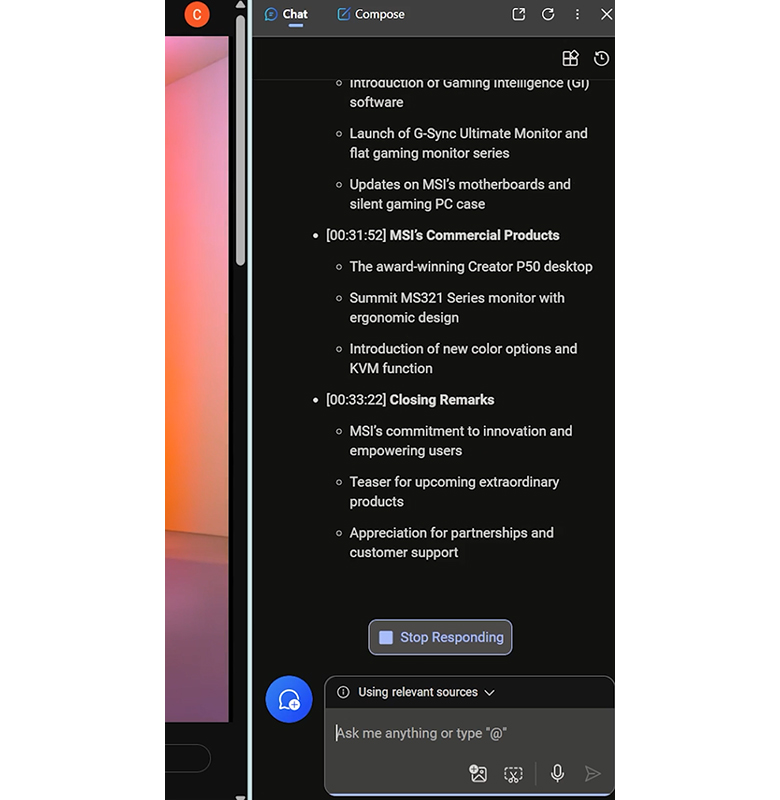
2. Edge Copilot for Video Summaries
Tired of long videos? Edge Copilot can summarize video content in seconds, saving you time and helping you get to the essential points quickly. This feature is perfect for students and professionals who need to digest large amounts of information efficiently. Open YouTube video link and call up Edge Copilot, it will provide a concise summary, highlighting the key points.
3. Copilot Pro for Drafts
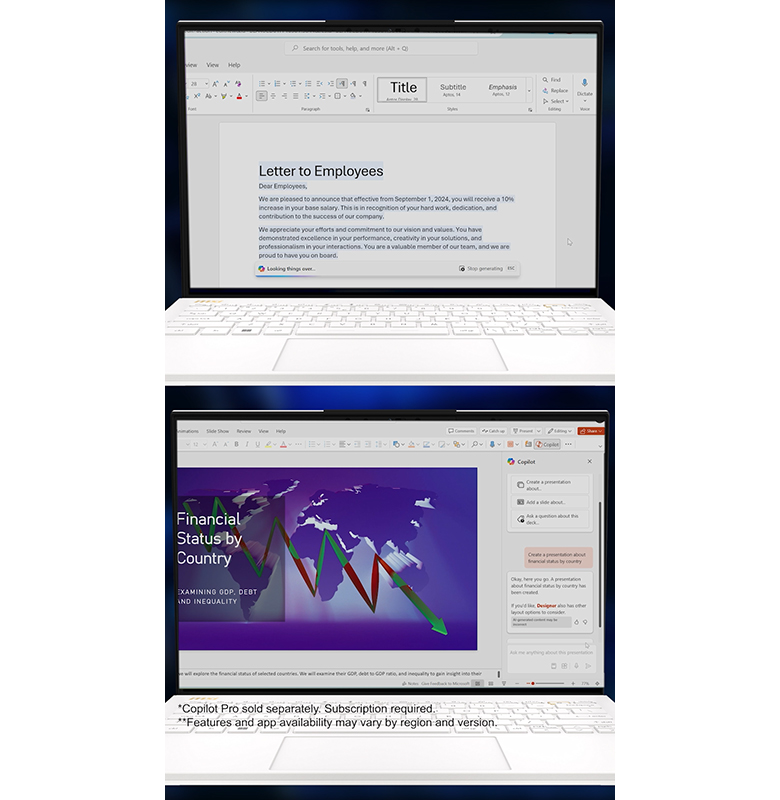
Copilot Pro can assist in creating drafts in Word, PowerPoint, and other applications. It’s like having a personal assistant to help you with your documents and presentations. Whether you’re drafting a report, creating a presentation, or writing an email, Copilot Pro can suggest content, correct grammar, and even format your documents to ensure they look professional.
*Copilot Pro sold separately, subscription required.
4. AI Snipping Tool
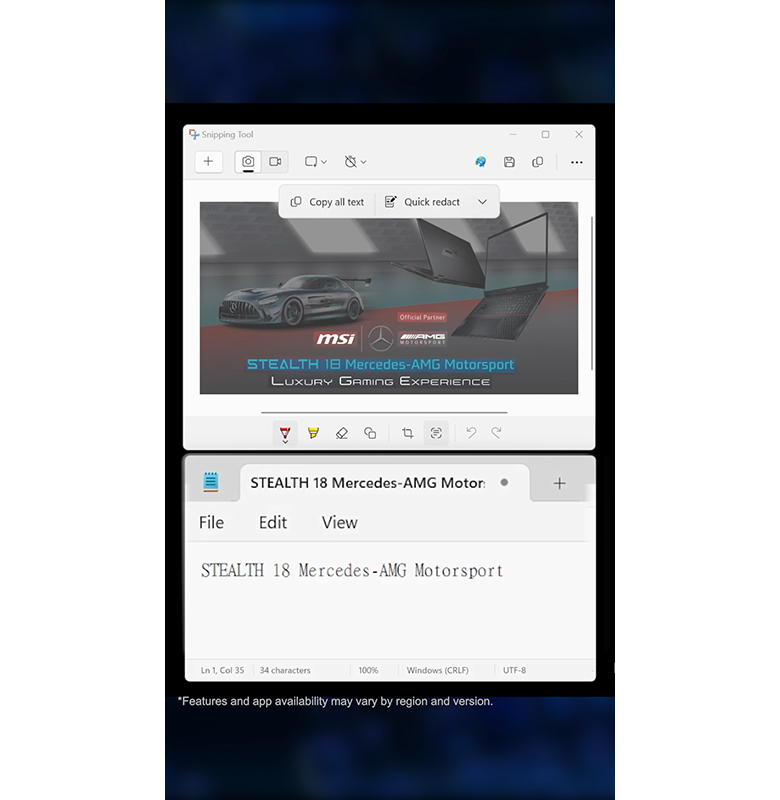
The AI snipping tool can recognize text from photos, making it easy to extract and use text from images without manual typing. This is particularly useful for students and professionals who need to quickly capture and utilize information from textbooks, documents, or presentations. Just take a screenshot, and the AI snipping tool will convert the text into an editable format.
5. Clipchamp AI Voice Feature
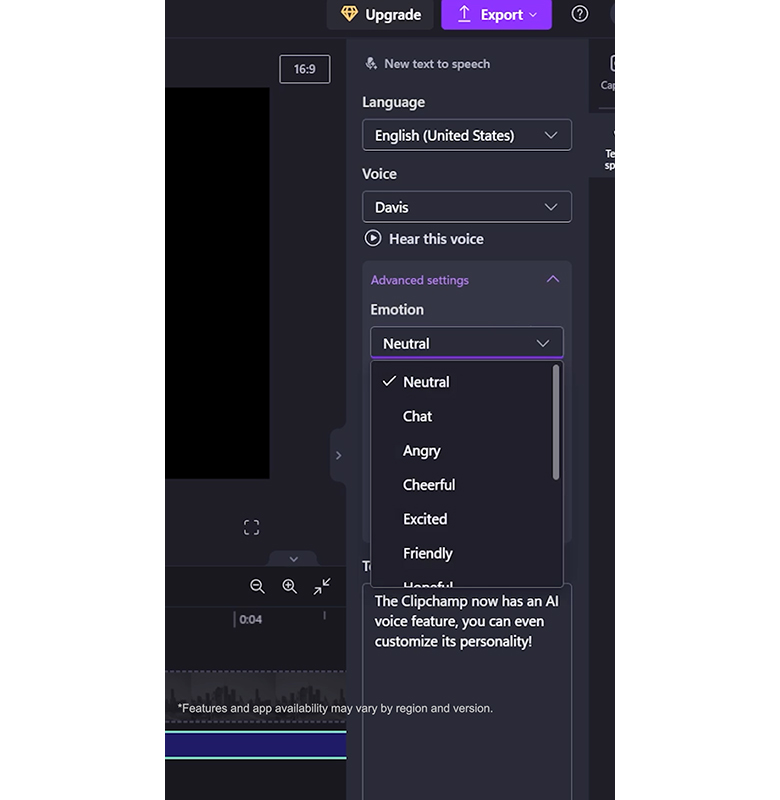
Clipchamp now includes an AI voice feature that allows you to customize the voice’s personality. This can add a unique touch to your video projects. You can choose from various voice styles and tones to match the mood and theme of your content, making your videos more engaging and professional.
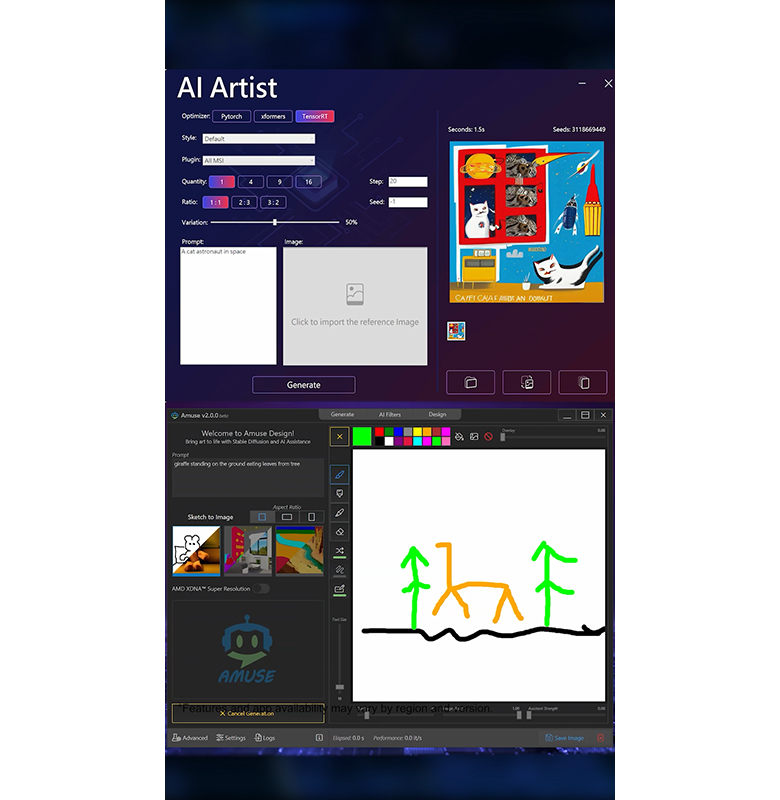
6. AI Image Generation
AI software like Paint and MSI AI Artist can generate images directly on your PC. This is perfect for creative projects or when you need custom visuals. Whether you’re designing a logo, creating digital art, or enhancing your presentations, these tools can generate high-quality images based on your specifications, saving you time and effort.
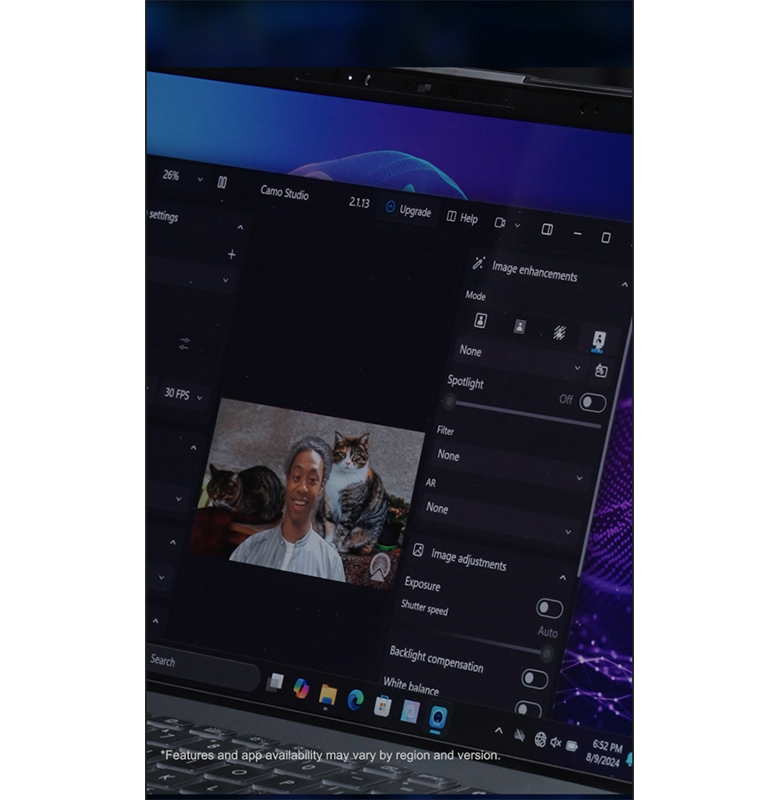
7. AI Background Filtersn
Is your room messy? No problem! AI can filter out the mess or change your background entirely, making your video calls look professional. This feature is ideal for remote workers and students who need to maintain a professional appearance during virtual meetings. You can choose from various virtual backgrounds or blur your existing background to keep the focus on you.
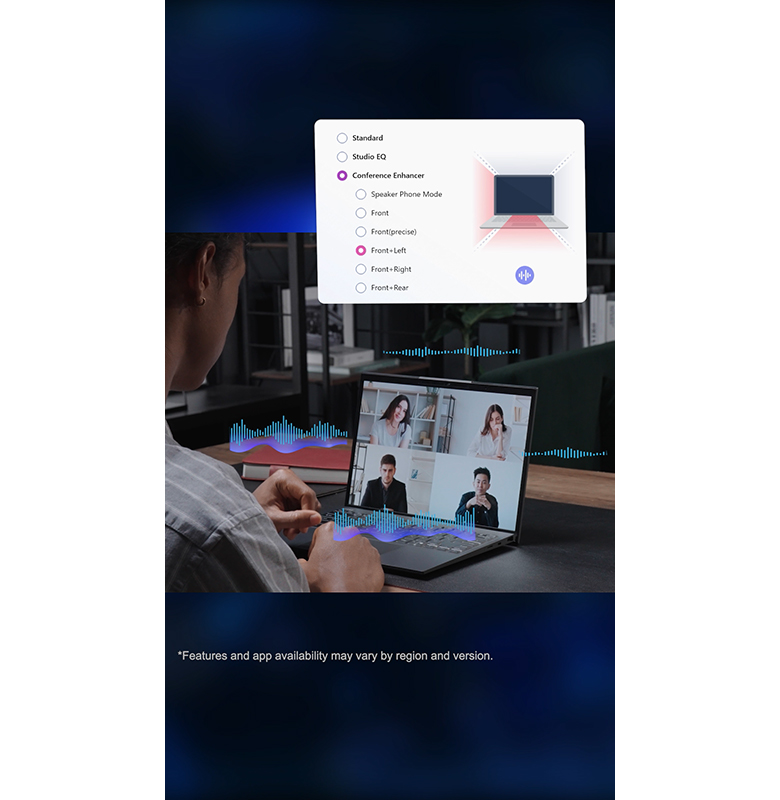
8. MSI AI Noise Cancellationn
MSI AI noise cancellation can filter noise both ways, even by direction. This ensures clear communication during calls, free from background noise. Whether you’re in a noisy environment or need to block out distractions, this feature enhances the audio quality of your calls, making your conversations more productive and enjoyable.
Explore these AI features on your MSI AI PC and discover how they can make your life easier and more enjoyable!
Find more at: https://www.msi.com/Landing/MSI-AI-PC/nb