Next-Gen OLED Burn-In Defense with Private AI Sensing – MSI OLED Care 3.0
Monitors
New Answer For Burn-in Solution – MSI OLED Care3.0
To prevent OLED panels from burn-in. MSI keeps working on how to decrease the risk of burn-in. We launch MSI OLED Care 3.0, which contains a whole new feature called AI Care Sensor. As introduced at Computex, MSI MPG 271QR QD-OLED X50 features the latest MSI OLED Care 3.0 technology. Built with cutting-edge AI technology, it effectively detects human presence to intelligently control the display content.
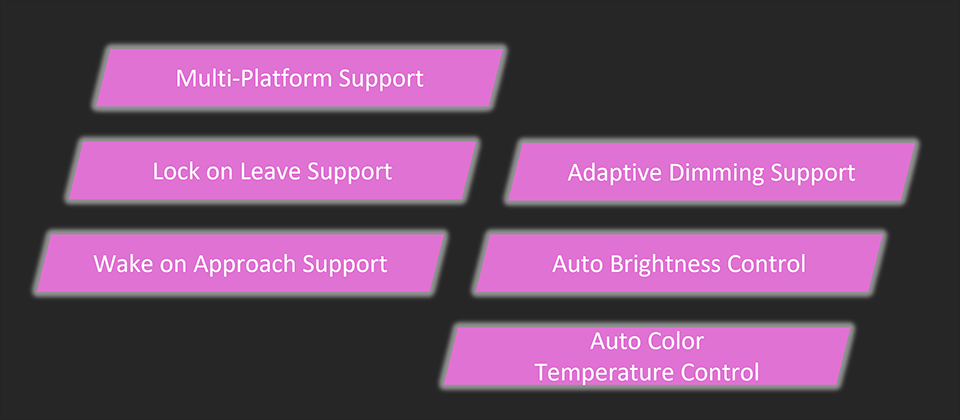
MSI OLED Care3.0 has 6 functions: Multi-Platform Support, Lock on Leave Support, Wake on Approach Support, Adaptive Dimming Support, Auto Brightness Control, and Auto Color Temperature Control.
These functions rely on AI Care Sensor to work.
How Does AI Care Sensor Work?
AI Care Sensor is installed under the bottom bezel of the monitor. AI Care Sensor technology uses a CMOS sensor to capture images every 0.2 seconds and is powered by an AI chip with an NPU (Neural Processing Unit) algorithm. When no human presence is detected, the monitor will automatically shut off for protection.
Apparently, AI Care Sensor is very different from traditional sensors. Traditional sensors cannot accurately distinguish between humans and objects, which may lead to misjudgments in actual screen usage scenarios, mistaking objects for people and thus failing to achieve the intended protection of the OLED screen.
High Privacy of AI Care Sensor
When MSI designed AI Care Sensor, we took privacy and security concerns into full consideration.
1. The device does not connect to the internet — all processing is done locally.
2. Second, it is solely used to detect the presence of a human and does not analyze any other objects.
3. AI Care Sensor does not store or upload any data. It does not support image transmission.
Multi-Platform Support
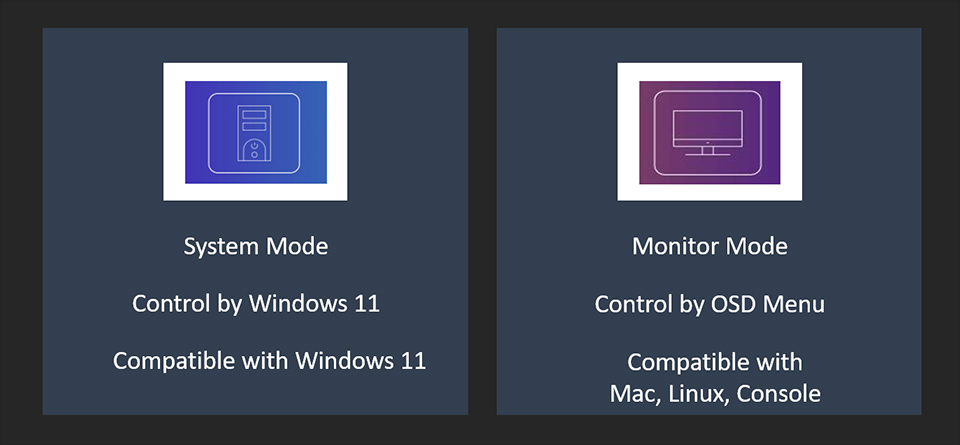
AI Care Sensor provides two control modes – System Mode and Monitor Mode – based on different usage scenarios. This allows users to easily adjust computer settings or screen displays, offering a more personalized and flexible experience.
For Windows 11 users, you can use System Mode. The operation of AI Sensor Care will be controlled through Windows 11, and this mode is only compatible with the Windows 11 operating system.
Another choice is Monitor Mode; the operation of AI Sensor Care will be controlled by the monitor’s OSD Menu. Other systems like Mac, Linux, and Console are all compatible with this mode.
Lock on Leave and Wake on Approach Support
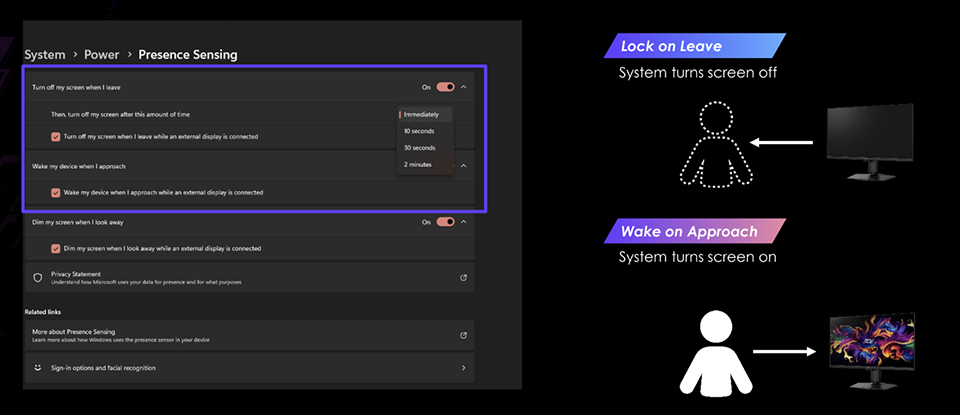
With Microsoft’s Lock on Leave and Wake on Approach, the screen smartly turns off when not in use, reducing burn-in risk with intuitive, timely control. To enable the function is very easy, just go into Windows settings – Power – Presence Sensing, and turn on “Turn off my screen when I leave while an external display is connected” and “Wake my device when I approach while an external display is connected”.
Notice: When the AI Care Sensor is enabled, if you return in front of the monitor while it is running Panel Protect, the AI Care Sensor will wake the screen, automatically interrupt Panel Protect, and turn the display back on for your use.
Adaptive Dimming Support
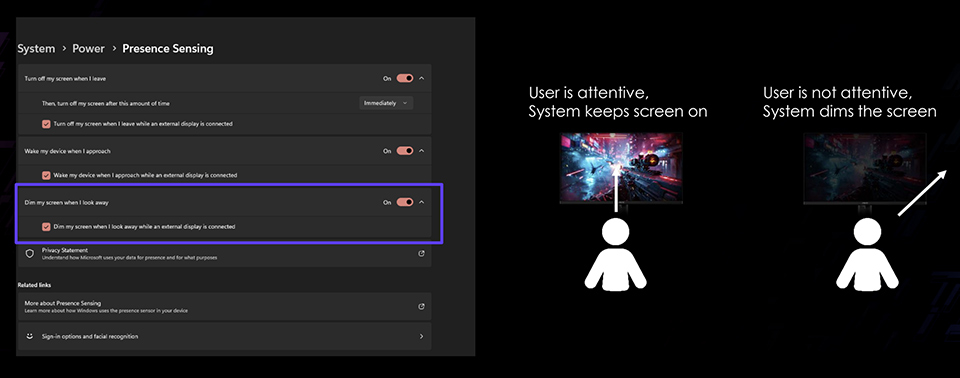
With the AI Care Sensor, the monitor can detect whether the user is actively viewing the screen. When the user looks away, the monitor will automatically reduce its brightness, helping to protect the panel and extend its lifespan.
Auto Brightness Control and Auto Color Temperature Control
Aside from protecting the OLED panel, AI Care Sensor also detects the lighting and color temperature of your surroundings, automatically adjusting the screen’s brightness and color tone. This makes your viewing experience more comfortable, smarter, and easier—no manual tweaking is needed.