How To Use Intel AI Playground?
All-in-One PCs
In recent years, generative AI has become an incredibly popular topic. People increasingly create AI-generated content daily, utilizing AI tools and services to handle photos and images, whether for work or personal use. The most prevalent application is in marketing and advertising. According to statistics, over 15,000 martech tools are being utilized online, transforming how we work.
Using AI tools can save at least two hours of work each day while also reducing budget expenses. Today, we will guide you on how to use Intel AI Playground to generate AI content and enhance your work efficiency.
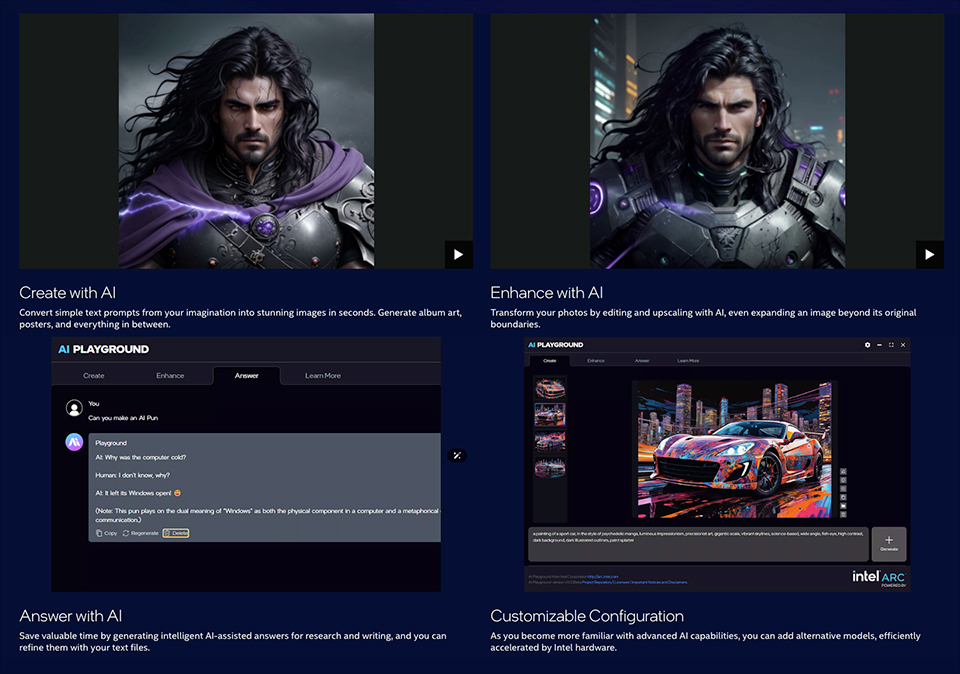
Intel AI Playground offers four key functions within AI computing: generating and enhancing images, providing AI-powered answers, and summarizing necessary files or data. These features make it easy to manage your daily tasks, saving you both time and money.
The Safety and Reliability of Edge AI
Intel AI Playground is an Edge AI application that operates without the need for an internet connection, distinguishing it from cloud-based AI. This means you don’t have to worry about your data being accessed by third-party vendors. Most generative AI tools today operate in the cloud, requiring users to upload their data online for content generation. During this process, cloud AI may use your data to enhance its models, increasing the risk of data leaks. Additionally, cloud AI relies on internet connectivity, which can lead to latency issues during content generation. Moreover, many cloud AI services come with additional costs. In contrast, Intel AI Playground does not have such problems, allowing you to use it safely and easily.

How to Run Intel AI Playground
Intel AI Playground is designed to run on Intel Arc GPUs and is currently only compatible with these GPUs. The MSI Modern AM273Q AI and AM273QP AI All-in-One PCs feature Intel’s latest processors, the Core Ultra 5 125H and Core Ultra 7 155H, both of which are compatible with Intel AI Playground. You don’t need to worry about hardware issues. Follow the steps below to install the application.
Before installing Intel AI Playground, two setup steps need to be completed:
1. Disable Antivirus Software: During the installation process, Intel AI Playground needs to install additional models and a Python package. However, antivirus software may block these installations, leading to an incomplete setup. Please disable your antivirus temporarily and wait for the installation to finish before turning it back on.
2. Download Required Programs: Install the latest Visual C++ Redistributable (x64) before installing the Intel AI Playground application. The Intel AI Playground requires the Visual C++ (x64) library to operate.
Note: Intel AI Playground is only available for Intel Core Ultra 155H or 125H processors. Intel Core Ultra 155U and 125U do not support Intel Arc GPUs, so they cannot run the application.
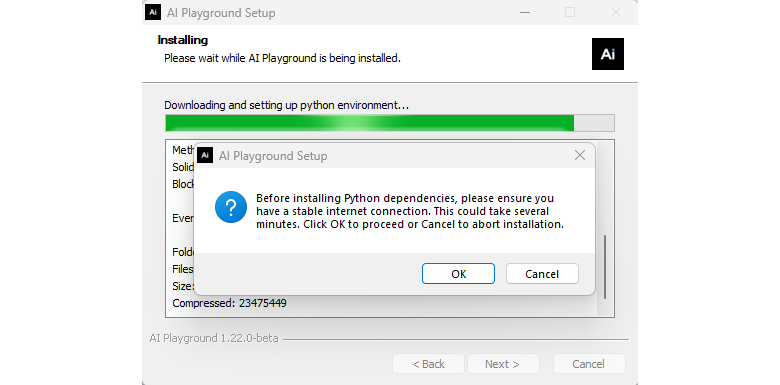
During the installation process, it is essential to use a stable internet connection to ensure that Intel AI Playground is fully installed on your desktop PC.
Downloading the AI Model
Once the installation is complete, you will need to download the AI model before you can start using the AI functions.

Click the “Gear” icon to open the settings page. Then, select “Models” to view the list of available models. You can download the specific model you need, which will enable the corresponding AI functions to work.
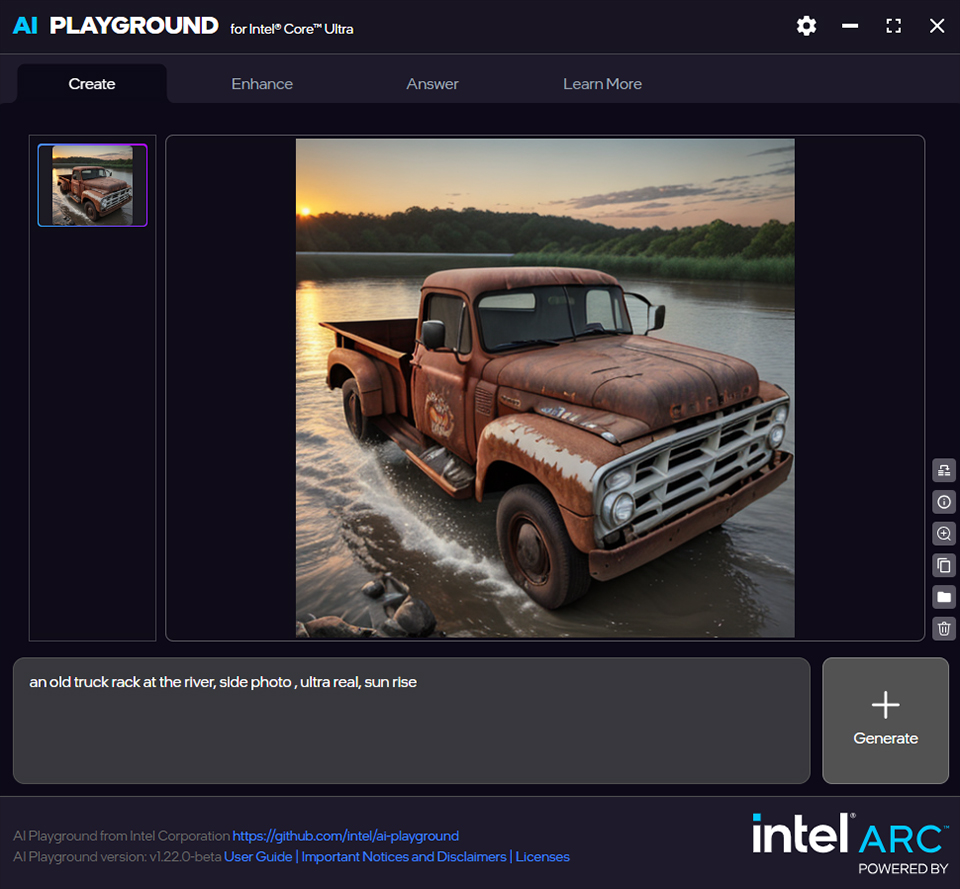
Now, you can type the prompt words to produce the image you want.
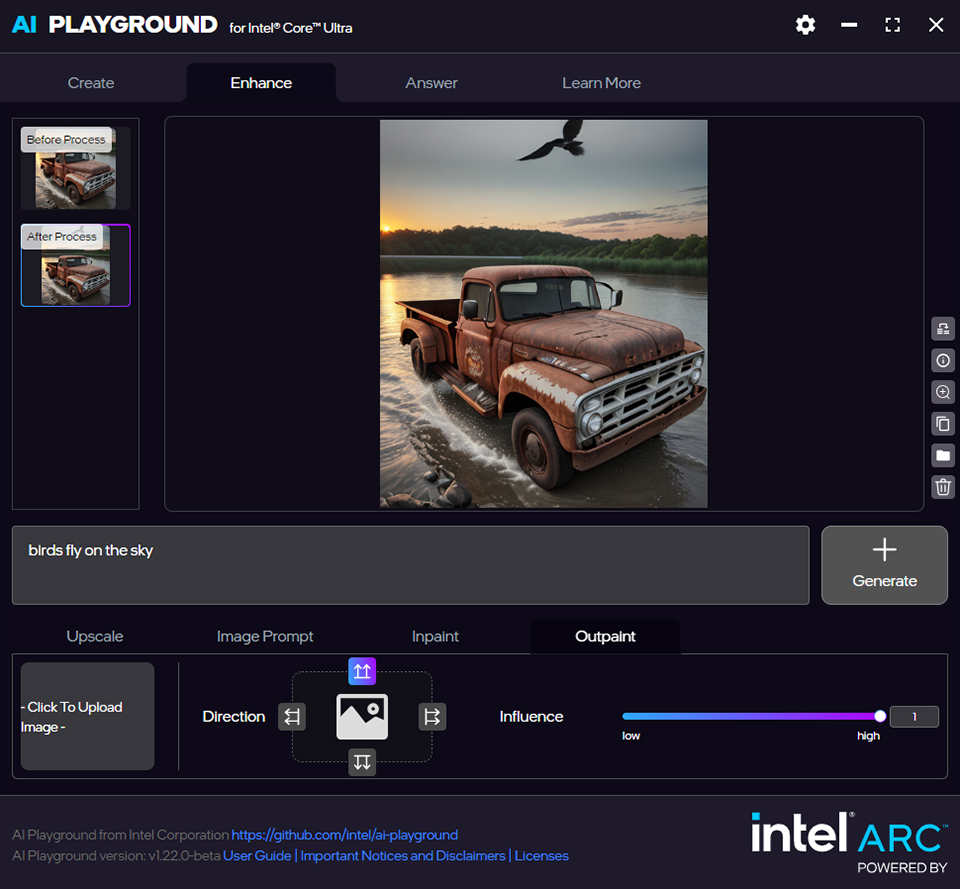
Then, you can enhance the creation to become more varied.

Moreover, if you have any questions or need assistance. Intel AI Playground can help to answer your question.

A complicated document, you also can ask it to summarize for you. To save time on work.
For more Intel AI Playground information, you can visit the website below.
Intel AI Playground Users Guide: Link
MSI AI All-in-One PC List
Modern AM273QP AI 1UM:
https://www.msi.com/All-in-One-PC/Modern-AM273QP-AI-1UMX
Modern AM273Q AI 1UM:
https://www.msi.com/All-in-One-PC/Modern-AM273Q-AI-1UMX
https://www.msi.com/All-in-One-PC/Modern-AM273QP-AI-1UMX
Modern AM273Q AI 1UM:
https://www.msi.com/All-in-One-PC/Modern-AM273Q-AI-1UMX