How to improve eye health and comfort with an anti-flicker screen?
Monitors
Most traditional monitors have an average flickering rate of 200-300 times per second. A high flicker rate increases stability and makes the screen appear less flickery, thus making it easier on the eyes. In addition, the screen's backlight is controlled through pulse-width modulation (PWM) technology, which is rapidly cycled on and off at high frequencies to regulate the amount of light emitted. Therefore, if the working hour is 8 hours per day, our eyes will suffer over 5 million flicker times per day. With the high flicker rate, some people may still be sensitive to flicker and experience computer vision syndromes (CVS), such as eye strain or other symptoms.
Those who spend long hours in front of a computer screen may experience eye strain and discomfort caused by the flicker of a monitor. Flicker refers to the rapid fluctuation of light intensity when a monitor displays an image. This article will explore the causes of monitor flicker, its effects on eye health, and provide tips on reducing the impact of flicker and improving eye health and comfort.
What is the Flicker of a Monitor?
Monitor flicker is the rapid and repeated fluctuation of light intensity that occurs when a monitor displays an image. This flicker can be caused by several factors, for example.
- Backlight: A monitor is illuminated by its backlights. A faulty or aging backlight can cause the flicker.
- PWM Technology: The PWM is commonly used in traditional monitors and can also cause flicker.
- Refresh rate: A monitor's refresh rate refers to the number of times the screen is redrawn per second. A low refresh rate might cause flicker and eye strain.
- Power supply: Flickering monitors can be caused by fluctuating power supplies.
- Graphics card: A faulty graphics or video card can cause flicker and other display issues.
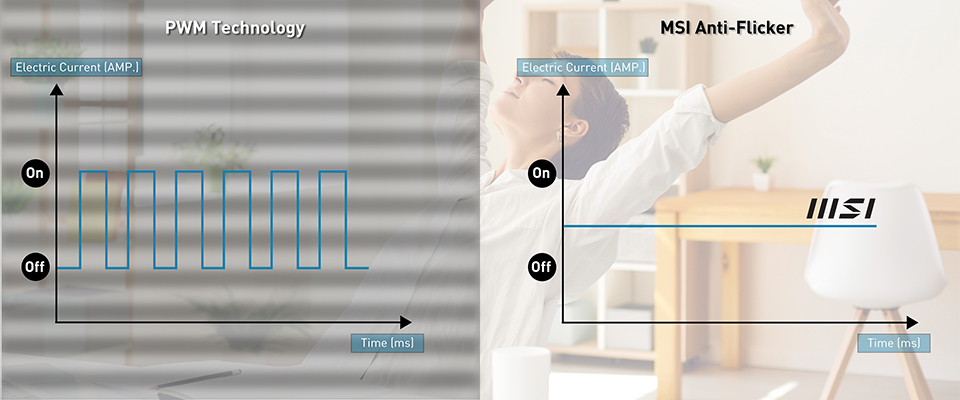
Effects of the Flicker and Tips to Reduce its Impact
Multiple eye-related problems can be caused by prolonged monitor flicker exposure, including eye strain, blurred vision, dry eyes, fatigue, headaches or neck and shoulder pain, or difficulty focusing, etc.
However, there are several ways to reduce flicker and improve eye health, for example,
1. Be mindful of the lighting in your environment and reduce the screen brightness
It is possible to experience eye strain and discomfort when viewing a bright screen. Keep your computer away from direct sunlight and reduce the screen brightness to a comfortable level.
1. Be mindful of the lighting in your environment and reduce the screen brightness
It is possible to experience eye strain and discomfort when viewing a bright screen. Keep your computer away from direct sunlight and reduce the screen brightness to a comfortable level.
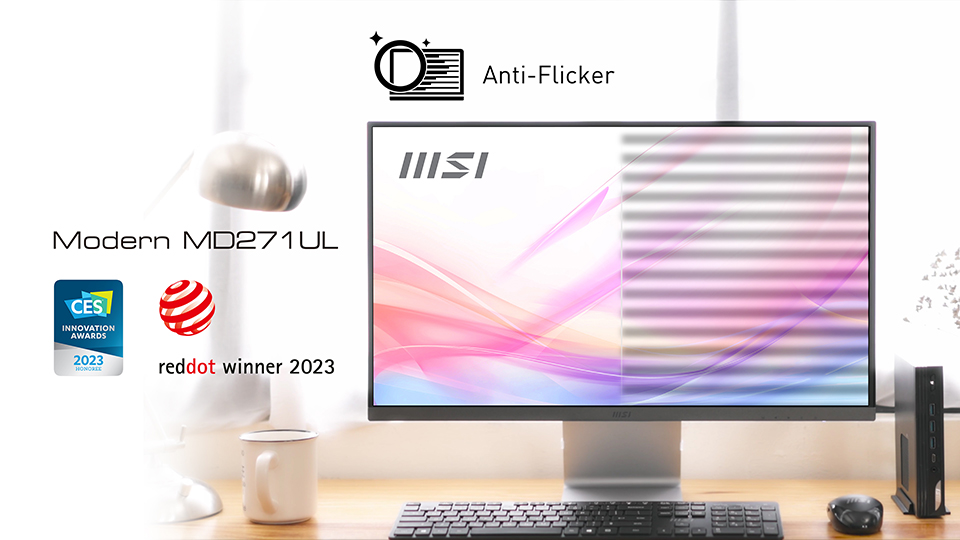
2. Use MSI anti-flicker and anti-glare display
The MSI anti-flicker and anti-glare display can reduce the amount of flickering and glare on the screen, which can help to minimize eye strain and discomfort.
The MSI anti-flicker and anti-glare display can reduce the amount of flickering and glare on the screen, which can help to minimize eye strain and discomfort.
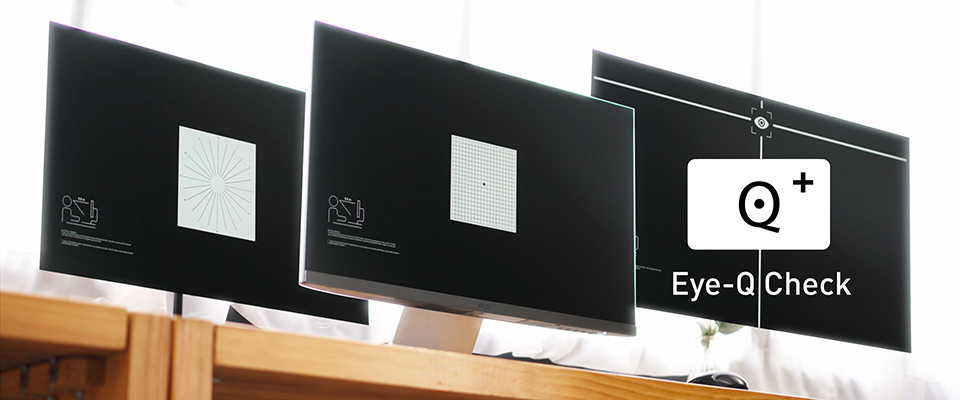
3. Try the MSI Eye-Q Check System
The Eye-Q Check of the MSI-selected models is a tool designed to help users evaluate their eye health. A series of tests can be administered through the Eye-Q Check program, including the Amsler Grid, Astigmatism, and posture correction tests to identify any potential eyestrain, vision problems, or other concerns.
The Eye-Q Check of the MSI-selected models is a tool designed to help users evaluate their eye health. A series of tests can be administered through the Eye-Q Check program, including the Amsler Grid, Astigmatism, and posture correction tests to identify any potential eyestrain, vision problems, or other concerns.
4. Adjust the monitor refresh rate
A higher refresh rate can reduce flicker and improve eye comfort. It should be sufficient for most users to use monitors with a refresh rate of 60 Hz or higher. However, you may consider increasing the refresh rate to 75Hz or higher if experiencing eye strain.
A higher refresh rate can reduce flicker and improve eye comfort. It should be sufficient for most users to use monitors with a refresh rate of 60 Hz or higher. However, you may consider increasing the refresh rate to 75Hz or higher if experiencing eye strain.
5. Check the proper color temperature
Ensure your monitor's color temperature is set to a comfortable level to reduce eye strain. Most of the current monitors allow you to select color temperatures from "Warm" to "Neutral" and from "Cool" to "Warm." To ensure your eyes are as comfortable as possible, experiment with these settings to find the ideal one.
Ensure your monitor's color temperature is set to a comfortable level to reduce eye strain. Most of the current monitors allow you to select color temperatures from "Warm" to "Neutral" and from "Cool" to "Warm." To ensure your eyes are as comfortable as possible, experiment with these settings to find the ideal one.
6. Take breaks every 20 minutes
In order to reduce eye strain and discomfort, it is recommended to take frequent breaks. The American Optometric Association recommends the 20-20-20 rule: every 20 minutes, look at something 20 feet away for 20 seconds. It can help to reduce eye discomfort.
In order to reduce eye strain and discomfort, it is recommended to take frequent breaks. The American Optometric Association recommends the 20-20-20 rule: every 20 minutes, look at something 20 feet away for 20 seconds. It can help to reduce eye discomfort.
7. Blink frequently to prevent eye dryness
Blinking has many benefits, including moistening the eyes and preventing dryness. Whenever you work on a computer, make a conscious effort to blink more frequently to ensure that your eyes are kept moist.
Blinking has many benefits, including moistening the eyes and preventing dryness. Whenever you work on a computer, make a conscious effort to blink more frequently to ensure that your eyes are kept moist.
8. Correct the working posture
To prevent neck and shoulder pain, it is essential to maintain a proper posture while working on a computer. For example, set your chair and screen to a comfortable height to reduce the strain on your neck and shoulders. In addition, you should ideally sit at a comfortable distance from your screen to minimize fatigue.
To prevent neck and shoulder pain, it is essential to maintain a proper posture while working on a computer. For example, set your chair and screen to a comfortable height to reduce the strain on your neck and shoulders. In addition, you should ideally sit at a comfortable distance from your screen to minimize fatigue.
Those who spend a significant amount of time at their computers may suffer from eye strain, discomfort, and other eye-related problems as a result of monitor flicker. However, there are still a number of ways in which you can reduce the impact of flickering on your eyes as well as improve your eye health and comfort, such as choosing the MSI monitor with anti-flicker technology, having an evaluation with the MSI Eye-Q Check program, adjusting the monitor refresh rate, reducing screen brightness, adjusting the proper color temperature, taking frequent breaks and blinking frequently, etc., to keep eyes healthy.