Display FAQ & Buying Guide: Next-Gen QD-OLED, Make In India Monitor Lineup, and Smart Productivity
Monitors
Buying a monitor today is about much more than just picking a screen size. From AI-driven display enhancements and flexible dual-mode refresh rates to localized manufacturing and seamless Mac integration, modern displays are designed to adapt to how you work, game, and create.
Below are the most frequently asked questions and official recommendations to help you find the perfect MSI monitor for your setup.
Q1: Which MSI Monitors Are Part of the "Make In India" Initiative?
MSI is actively expanding local manufacturing under the Make In India initiative. The lineup covers a diverse range of displays—from high-performance 4K Dual-Mode gaming monitors and ultra-fast 2K 300Hz displays to everyday 24", 22", and 16" portable screens.
Key Highlights:
- MAG 275UPD E14: A versatile 27" gaming monitor built locally, featuring 4K UHD @ 144Hz, FHD @ 288Hz Dual-Mode switching, and custom 24.5" esports display scaling.
- High-Refresh Esports Displays: MAG 275QPF X30 is a 2K (QHD) 300Hz Rapid IPS competitive gaming models tailored for fast-paced action.
- Everyday & Portable Monitors: Reliable 22" and 24" office displays along with 16" portable monitors designed for flexible hybrid work.
- More high-demand models across productivity and gaming are scheduled to join our Make In India lineup in the coming quarters.
Q2: What Is "Dual-Mode" on MSI Gaming Monitors and How Does It Work?
Dual-Mode allows a single monitor to switch between two native resolution and refresh rate configurations: ultra-sharp 4K @ 144Hz for visual fidelity, and ultra-smooth FHD @ 288Hz for competitive gaming. On select models, it even allows scaling the display area down to 24.5 inches for pro-level esports focus.
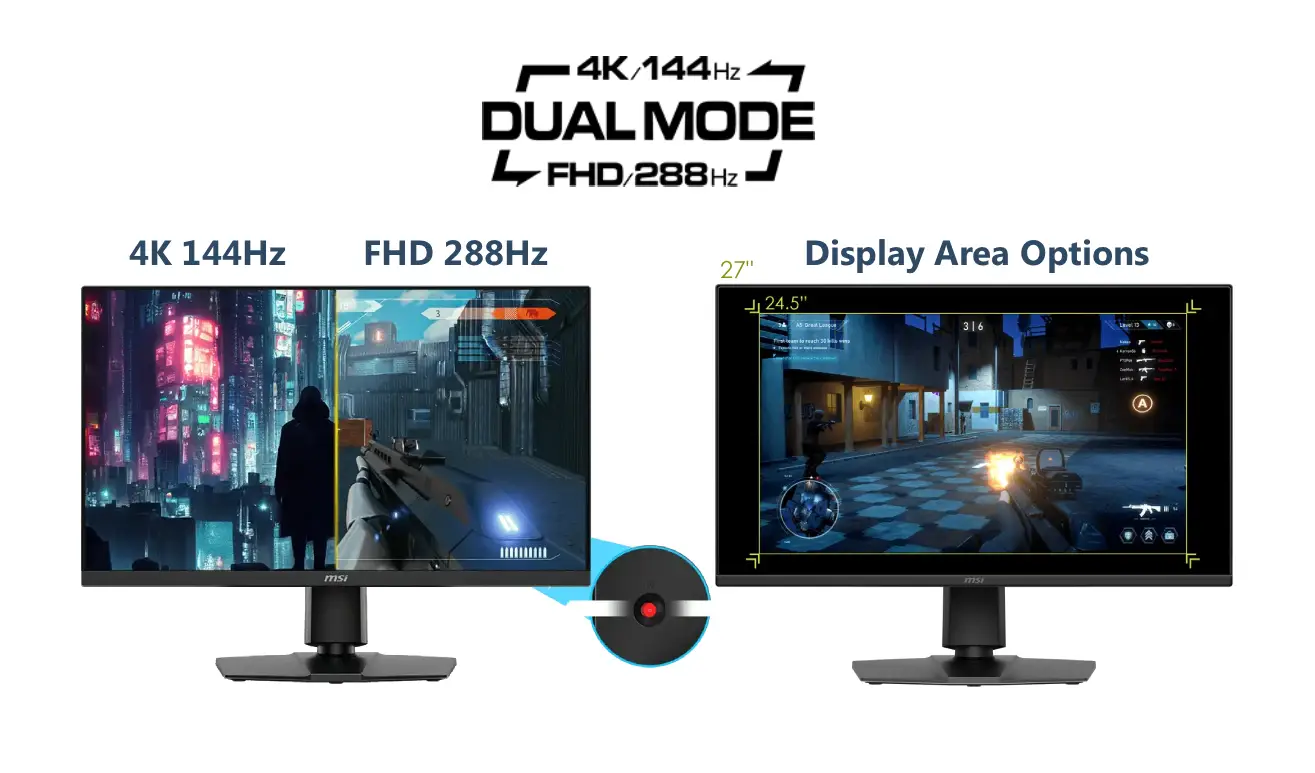
▲ MSI Dual-Mode enables instant switching between 4K 144Hz visual fidelity and FHD 288Hz speed, with flexible aspect ratio support for a 24.5" pro-esports display area.
Why It Matters (True 2-in-1 Hardware):
- Flexible Resolution & Refresh Rates: Enjoy cinematic 4K visuals for story-driven AAA games, and easily switch to 288Hz for ultra-low latency in titles like CS2, Valorant, or Apex Legends.
- 24.5" Esports Screen Size Scaling: While 27 inches is great for immersion, esports pros often prefer a 24.5-inch viewing area to keep all UI elements and crosshairs within their direct peripheral vision. The monitor supports customizable aspect ratios, allowing you to center a 24.5" FHD image instantly.
- AI-Assisted Switching: Features like AI Dual Mode and AI Navigator optimize settings on the fly without tedious OSD menu adjustments.
- Featured Model: MAG 275UPD E14 (27" 4K 144Hz / FHD 288Hz Dual-Mode, Make In India).
Q3: Why Choose a 120Hz or 144Hz Monitor for Everyday Productivity and Studying?
High refresh rates (120Hz/144Hz) significantly reduce motion blur and visual fatigue during long hours of reading, coding, and multitasking, while providing the smoothness needed for casual gaming after hours.
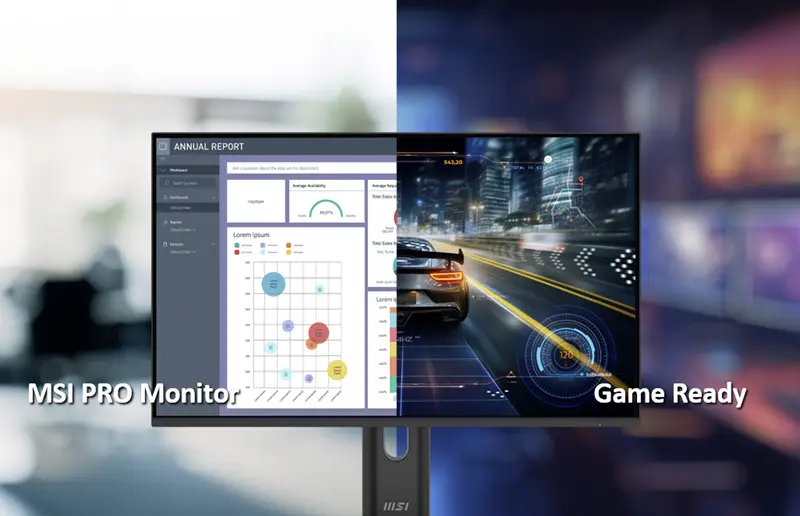
▲ MSI PRO monitors such as PRO MP273W E14A / PRO MP273 E14A / PRO MP251 E14L / PRO MP225 E12VL / PRO MP225 E12L feature 144Hz high refresh rates with EyesErgo technology, balancing eye comfort for work, smoothness and responsiveness for light gaming.
Key Benefits for Students and Hybrid Workers:
- TÜV-Certified EyesErgo: Combines Anti-Flicker and Less Blue Light technologies with Eye-Q Check to keep your eyes comfortable during long study and work sessions.
- Silky Smooth Scrolling: Higher refresh rates make web browsing, long document scrolling, and spreadsheet navigation feel noticeably crisper.
- Dual-Purpose Versatility: Perfect for users who want a single budget-friendly screen for daytime productivity and evening entertainment.
- Modern Workspace Aesthetics: Available in standard black as well as clean white finishes to match modern desk setups.
- Recommended Series: MSI PRO Series (120Hz / 144Hz)
Q4: What Is the Best MSI Monitor Setup for Mac and MacBook Users?
The MSI PRO MAX Series is engineered specifically for macOS creators and power users, offering native software synchronization, factory-calibrated P3 wide color gamut, and single-cable Type-C connectivity.
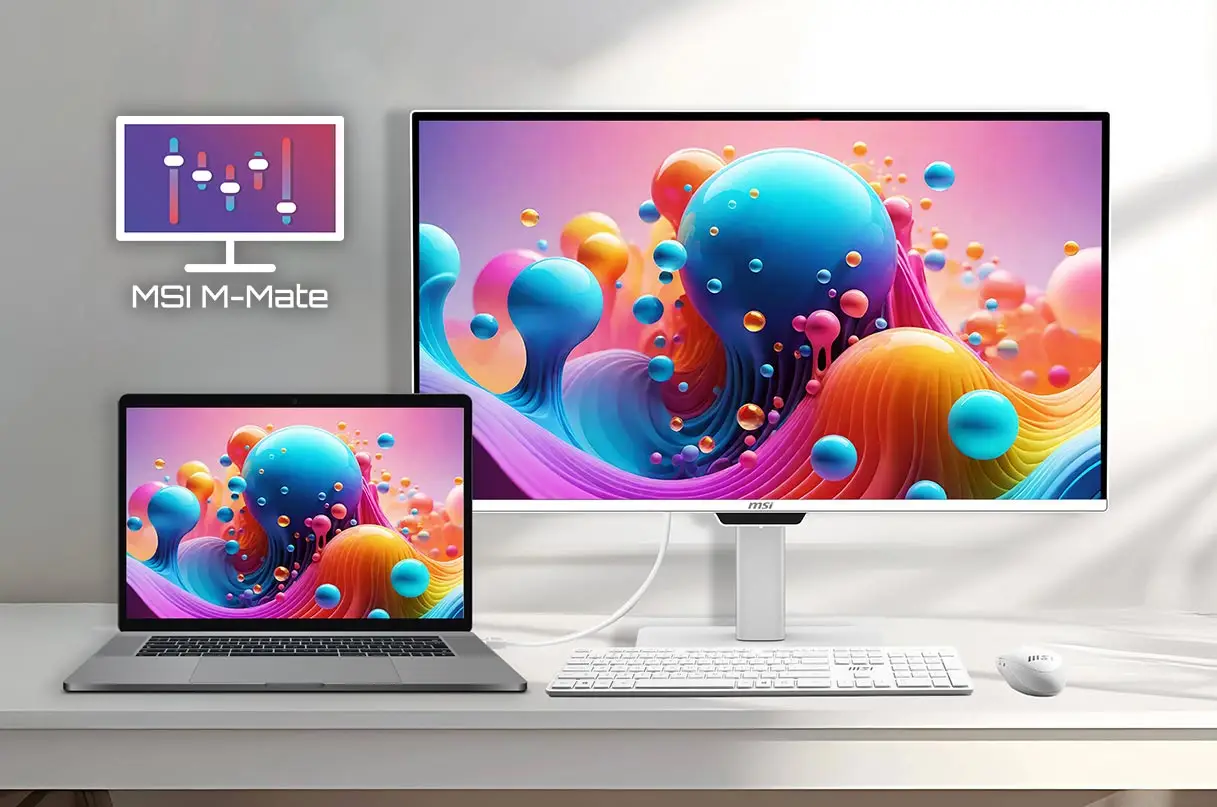
▲ MSI PRO MAX series provides seamless Mac integration with M-Mate, M-Sync, and calibrated P3 color profiles.
Key Ecosystem Features:
- MSI M-Mate & M-Sync: Allows you to control monitor brightness, volume, and hotkeys directly through macOS without touching the physical monitor buttons.
- Mac-Calibrated P3 Colors: Ensures consistent, accurate color rendering between your MacBook display and the external monitor.
- 3-Device KVM 2.0: Seamlessly switch keyboard and mouse control across three connected devices (e.g., MacBook, desktop PC, and iPad).
- High-Wattage Power Delivery: Single-cable USB Type-C (up to 98W PD) transmits video, audio, data, and laptop charging simultaneously.
- Featured Models: PRO MAX 341QPXW14G (34" Ultrawide) & PRO MAX 271UPXW12G (27" 4K).
*” Apple”,” Mac”,” MacBook” are trademarks of Apple Inc., registered in the U.S. and other countries and regions. This product is not an Apple-affiliated product, and does not provide any Apple services or warranties.
Q5: How Does MSI OLED Care Prevent Burn-In on QD-OLED Displays?
MSI protects QD-OLED panels through MSI OLED Care, an intelligent multi-layered protection system that uses automated background maintenance and advanced hardware sensors to maximize panel lifespan.
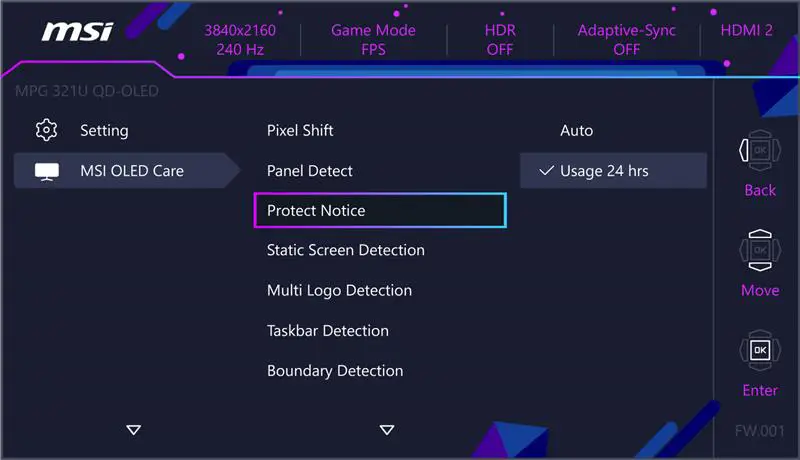
▲ MSI OLED Care integrates automated background protection and AI Care Sensors to maximize QD-OLED panel durability.
How the Protection Works:
- Next-Gen MSI OLED Care 3.0 (with AI Care Sensor): Featured on flagship displays like the MEG X, this upgraded system includes a dedicated AI Care Sensor that detects human presence, automatically engaging panel protection when you step away from your desk.
- Core Protection Suite (OLED Care 2.0 & 3.0): Includes automated Pixel Shift, Static Screen Detection, Multi-Logo Detection, and Taskbar Protection to prevent static image retention during daily use.
- Hardware-Level Durability: Latest panels integrate DarkArmor anti-reflection and anti-scratch coating, alongside optimized sub-pixel structures for crisp text rendering.
- Dedicated 3-Year Warranty: Supported by MSI's 3-year OLED burn-in warranty for complete peace of mind.
Q6: 34-Inch Ultrawide Curved vs. Dual Monitors: Which Setup Is Right for You?
Both setups offer distinct advantages depending on your daily workflow. A 34-inch 21:9 ultrawide curved monitor delivers a seamless, bezel-free panoramic view for general productivity and media creation, while a dual-monitor setup is the gold standard for dedicated multi-window tasks like coding and live streaming.
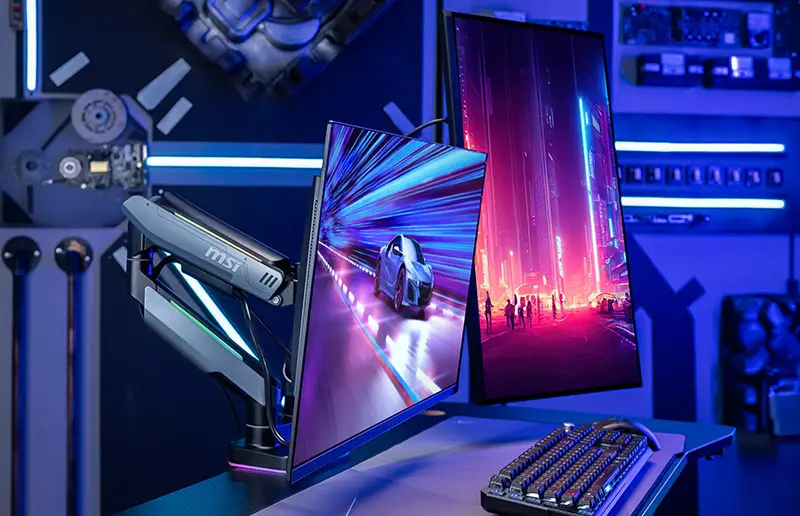
▲ Whether choosing a 34" ultrawide curved display or a dual-monitor arm configuration, MSI provides flexible solutions for every multitasking workflow.
When to Choose a Dual-Monitor Setup:
- Coding & Development: Rotate one monitor to portrait (vertical) mode to view hundreds of lines of code without scrolling, while keeping documentation or live previews on the primary horizontal screen.
- Live Streaming & Content Creation: Keep your game running in full-screen on your main monitor while dedicating the secondary display to OBS, Discord, and viewer chat interactions.
- Explore our comprehensive guide on Gaming & Working with Dual, Triple, and Multi-Monitor Setups to learn how to mount and optimize multi-screen desks.
When to Choose a 34" Ultrawide Curved Monitor:
- Panoramic Everyday Multitasking: Replaces two smaller screens with a single, sleek display—eliminating center bezels, reducing cable clutter, and freeing up desk space.
- 1500R Curved Comfort & 120Hz Smoothness: Wraps naturally around your field of view for large spreadsheets and video timelines with fluid scrolling and TÜV-certified eye care.
- Featured Models: PRO MP341CQ E12 (Black) & PRO MP341CQW E12 (Modern White).
Ready to upgrade your setup? — visit MSI online store on Amazon and complete your workspace!