A Closer Look at QD-OLED Technology: Building the Perfect Gaming Monitors
Monitors
Monitor technology changes at a furious pace, and we’ve come a long way from conventional CRT monitors with their ample backsides. On the flipside, this pace also means that it’s becoming harder for gamers and professionals to keep track of what matters, when it comes to picking your next monitor.
MSI’s new range of QD-OLED monitors combine two technologies to deliver a stunning visual experience with the spectacular levels of contrast and perfect blacks of an OLED, without sacrificing brightness and vibrant, accurate colors.
In this article, we’ll explore the differences between various panel technologies and see how they stack up against the latest QD-OLED monitors.
Understanding Monitors: LED vs. LCD vs. OLED vs. QD
You might find yourself wading through a flood of technical terms that make no sense when you’re trying to buy the best monitor for your setup. If terms like LED, LCD, etc., are foreign to you, fret not; we’ll ease you through the world of monitors and panel types.
LCD Monitors vs. LED Monitors: Souvenirs of a Distant Past
LCD monitors refer to any monitor that uses a liquid crystal layer in its panel, which is how they get their name – Liquid Crystal Display. An LCD monitor typically uses a liquid crystal layer that’s sandwiched between other layers.
Here’s a graphic from ViewSonic that illustrates the layers in a conventional LCD monitor.

The Light Source (left-most layer) dictates what backlighting technology is used to light up your monitor. Older LCD monitors used cold cathode fluorescent lamps, while newer LCD monitors use Light Emitting Diodes (LEDs).
An LED (Light Emitting Diode) is a semiconductor that glows when electricity is applied to it.
So, what about these ‘LED’ Monitors?
Well, that was the marketing name given to all LCD monitors that used LED backlighting technology.
Don’t get me wrong. It wasn’t unnecessary because it was a relevant distinction at the time. However, in today’s market where a fluorescent lamp is no longer used in monitors, both an LED monitor and an LCD monitor refer to the SAME thing.
Understanding IPS, TN, and VA Technologies
Okay, if LCD and LED Monitors are the same thing now, where do you place terms like IPS, TN, and VA monitors?
Simply put, these are LCD technologies.
They indicate the way the liquid crystals of an LCD layer are aligned to get a desired result.
Here’s how these types of LCD panels compare to each other:
- IPS (In-Plane Switching) Panels: They use liquid crystals that are aligned in parallel to the glass layer.
- TN (Twisted Nematic) Panels: TN panels are one of the oldest types of LCD panels and rely on a layer of liquid crystals that are twisted 90-degrees.
- VA (Vertical Alignment) Panels: These panels use liquid crystals that are vertically aligned.
Each of these LCD panel types has a distinct set of advantages and disadvantages. For example, IPS offers the best color accuracy, VA panels offer excellent contrasts, while TN panels offer the fastest response times.
Understanding OLED Monitors: Putting an O in the LED
As we’ve mentioned above, an LED monitor refers to the backlighting technology used in a monitor. Similarly, an OLED monitor also (loosely) indicates the backlighting technology used in it, i.e., Organic Light Emitting Diodes (OLEDs).
Conventional LEDs are produced using inorganic (silicon, gallium, etc.) light producing materials, whereas OLEDs leverage organic (carbon-based) materials instead.
Although we’ve been making conventional LEDs smaller, we still haven’t reached a point where they’re small enough to light each pixel individually. Also, LEDs require a color filter to display a range of colors as an LED backlight can only emit a single color.

OLEDs, on the other hand, are self-emissive. This means that each particle (pixel) can be controlled and ‘turned off’ individually – allowing for far superior contrast and black levels. What’s more, they can also display a range of colors without a color filter!
However, OLEDs aren’t perfect because they just don’t get bright enough for a vibrant experience in well-lit environments.
What is QD or Quantum Dot?
Quantum Dots are minuscule (2-10 nanometers in diameter) semiconductor particles that boast unique optical and electrical properties due to their size. One of the most exciting applications for this particle is the relationship between a Quantum Dot’s size and color.
The size of this semiconductor particle can be fine-tuned by changing the energy levels provided to them. As you can see in the graphic above, as their size changes, they can emit a range of colors needed for a display.
Since these colors can be fine-tuned to such a high degree, the use of Quantum Dots in displays allows for a bright and vibrant picture that’s unmatched by any other consumer technology.
Although conventional LED monitors have used Quantum Dots for years now, they’ve been unable to overcome a few drawbacks like less-than-ideal black levels, relatively poor contrast ratios, etc.
OLED panels solved most of these issues, but brought another set of downsides with them – namely, lower brightness levels, and subsequently less vibrant colors.
Combining the QDs and OLEDs: Paving the Way for Stunning Visuals
Combining both these technologies allows us to blend the vibrance of Quantum Dot technology with the inky blacks of OLEDs – allowing QD-OLED monitors to display a spectacular range of colors without losing vibrance or compromising on contrast!

A QD-OLED monitor uses a relatively simple construction compared to traditional LCD panels – a self-emitting layer (OLED) behind a QD layer for the color.
Are MSI QD-OLED Monitors Superior to Conventional Displays?
The short answer is: Yes.
But they also feature some downsides that conventional displays don’t have to worry about. But first, how exactly are they superior?
It’s simple: they offer a best-in-class experience when it comes to features, visuals, and specifications that most gamers, creators, and even casual users might care about.
QD-OLED Refresh Rates and Response Times
When it comes to fast-paced, competitive gaming, a responsive, high-refresh rate monitor has become more of a requirement than a luxury. And QD-OLED monitors deliver on this front.
Thanks to the latest-generation of OLED technology, MSI’s QD-OLED models can easily outpace conventional gaming monitors with a lightning-fast 0.03ms response time and up to a 360Hz refresh rate for a fluid gaming experience. Adaptive Sync further enhances fluidity by matching refresh rate to your in-game FPS.
Color Performance and Viewing Angles: Unmatched Color Performance and Contrast Levels
The Quantum Dots in MSI’s QD-OLED monitors allow for a much more vibrant color experience that’s both brighter as well as more color-accurate than ever before! In fact, this panel features a Delta-E of < 2 and a 99% coverage of the DCI-P3 color space – guaranteeing excellent color coverage and color accuracy.
QD-OLED panels also boast wider viewing angles compared to a conventional monitor and can display accurate colors across even large flat panels. So, you can confidently opt for large flat monitors without worrying about color shifts towards the edges when you’re seated at a reasonable distance from it.
Lastly, contrasts: OLEDs have nearly infinite contrast due to the fact that you can individually ‘turn off’ each pixel. Not only does this elevate your HDR experience to surreal, but it also ensures better clarity in darker areas and scenes in your games.
Prioritizing Your Health: Eye Care Features and Ergonomics
While gaming, entertainment, and work are a part of life for gamers, it shouldn’t come at the cost of your health. MSI’s range of Eye Care features aim to make your viewing experience more comfortable, even when you’re at your PC for extended periods of time.
Anti-Reflection coating on MSI’s QD-OLED Monitors helps minimize the reflections caused by light sources around you. These reflections not only cause more strain on your eyes, but they also obstruct your view of the battlefield.
Blue Light Reduction, as the name suggests, reduces the amount of blue light exposure when you’re looking at your screen. Experts agree that reducing exposure to blue light can bring down digital eye strain and enhance the quality of your sleep.
These monitors also boast Anti-Flicker panels, which further helps reduce the strain on your eyes by eliminating flicker.
MSI’s QD-OLED Monitor Lineup: Find the Perfect One!
Everyone expects something different from their setup, and that’s the beauty of building and personalizing your own gaming or work setup. MSI offers a robust lineup of QD-OLED monitor options – allowing you to find the best option for your space!
Curved Monitors

MAG 341CQP QD-OLED: UWQHD Resolution (2560x1440); 175Hz Refresh Rate; 0.03ms GTG Response Time
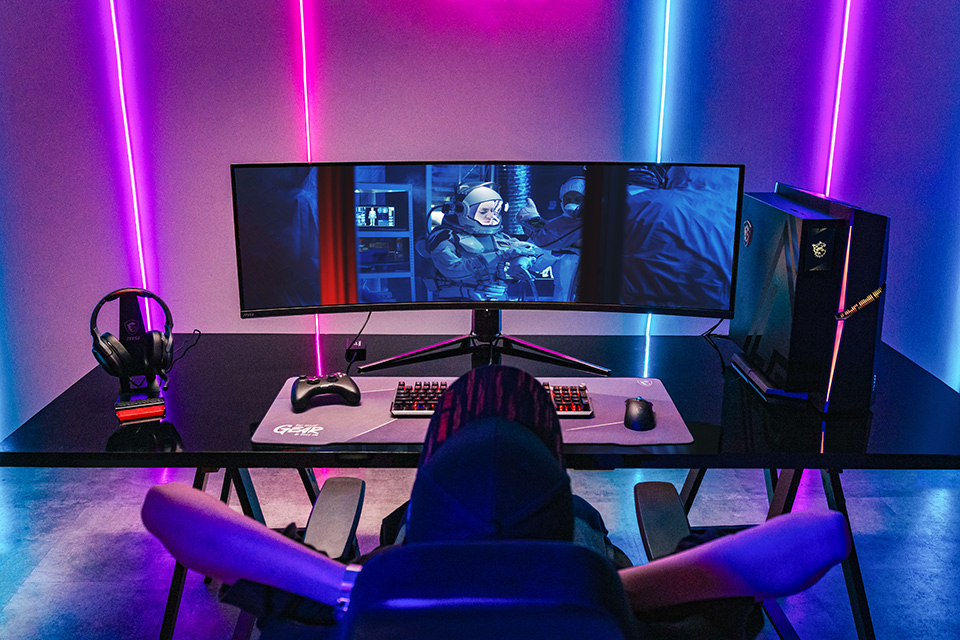
MPG 491CQP QD-OLED (CES 2024 Innovation Award Winner): DQHD Resolution (5120x1440); 144Hz Refresh Rate; 0.03ms GTG Response Time
Flat Monitors
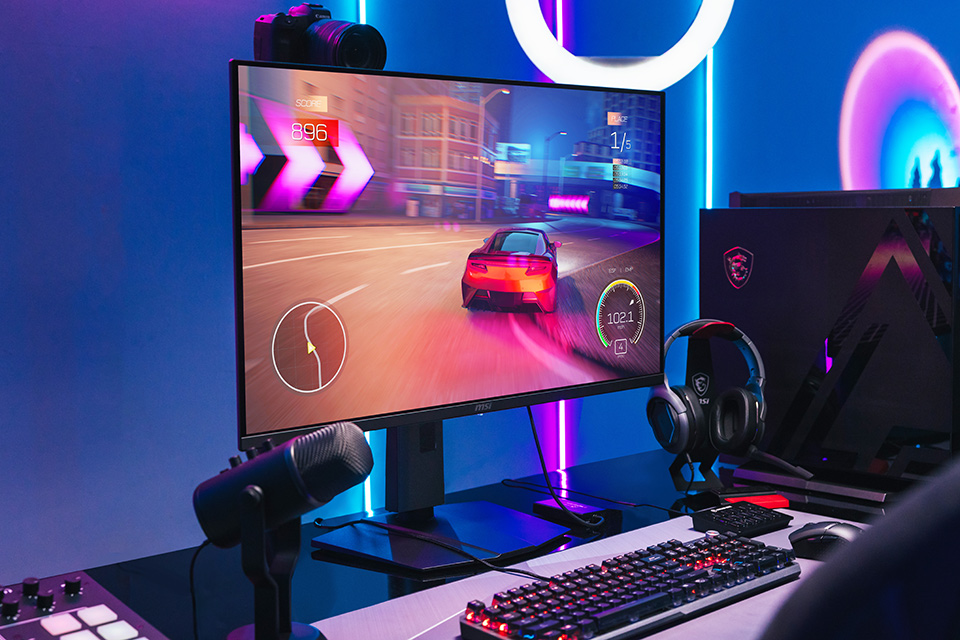
MPG 321URX QD-OLED: UHD Resolution (4K); 240Hz Refresh Rate; 0.03ms GTG Response Time
MAG 321UPX QD-OLED: UHD Resolution (4K); 240Hz Refresh Rate; 0.03ms GTG Response Time

MPG 271QRX QD-OLED: WQHD Resolution (2560x1440); 360Hz Refresh Rate; 0.03ms GTG Response Time
MAG 271QPX QD-OLED: WQHD Resolution (2560x1440); 360Hz Refresh Rate; 0.03ms GTG Response Time
Regardless of size, refresh rate, and curvature, you’re guaranteed a super-premium QD-OLED experience with any of these monitors!
Want to find out more?
Head over to our GO BORDERLESS page to learn more about displays that erase the line between virtual and real – bringing real-life vibrance in virtual worlds to your space.